


Kia Optima TF Picanto TA ISO Radio adapter USB AUX 24/18 Pin
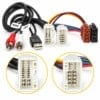
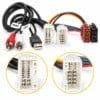
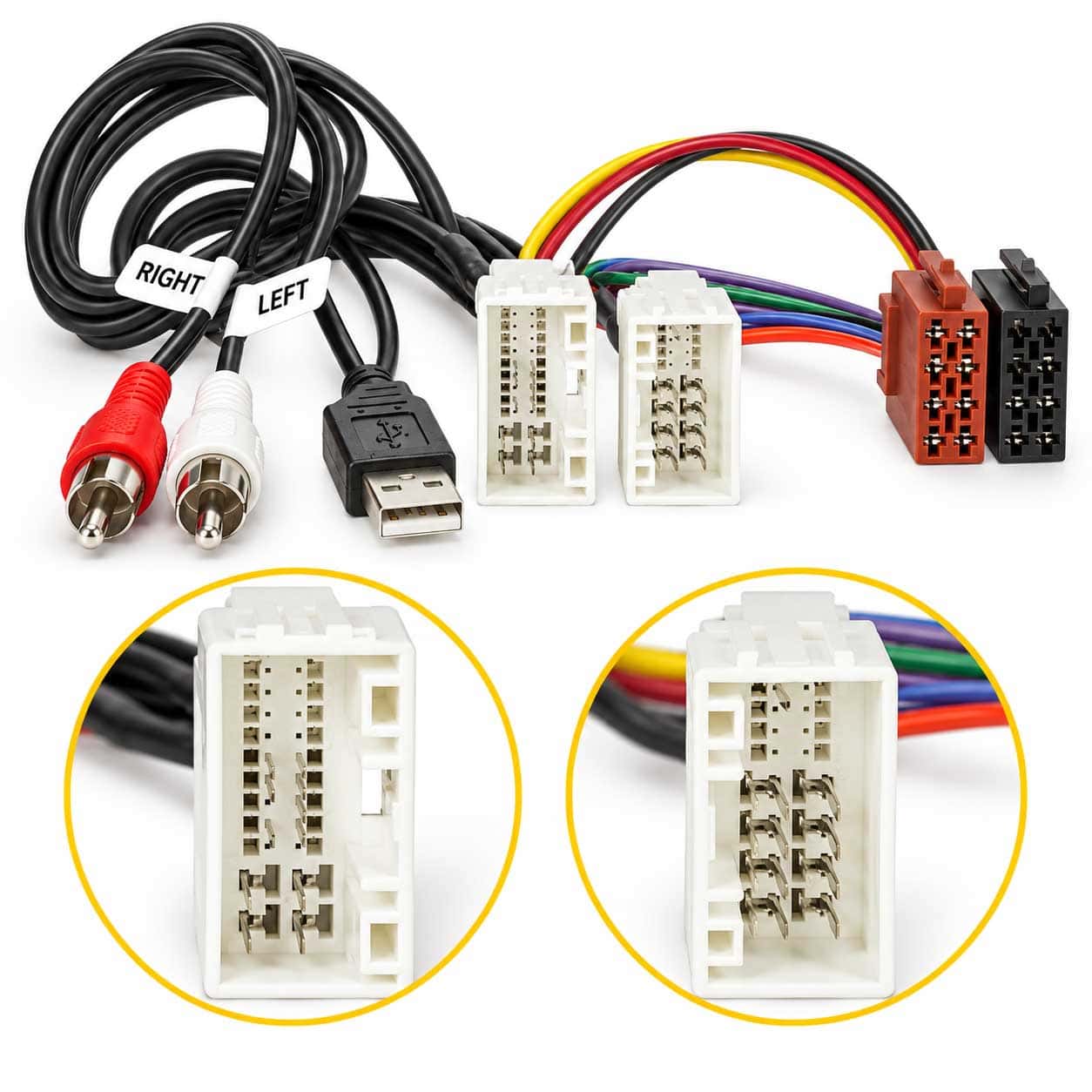
Kia Optima TF 06/2012–09/2015 and Picanto TA 09/2011–03/2017: ISO radio adapter 24/18 Pin with USB/AUX connection. For base radios without navigation and OEM sound system.
Enter the voucher code in the shopping cart.
The discount level corresponding to the value of the goods applies.
BW10: 30 € to 179,99 € · BW15: 180 € to 319,99 € · BW20: from 320 €
The voucher terms and conditions apply.
Install new radio in Kia Optima or Picanto
You want to replace the original radio in your Kia Optima TF or Picanto TA with a new one and continue to use the existing USB and AUX connectors? This adapter connects the appropriate 24- and 18-pin vehicle connectors with the ISO connections of the new radio. For USB and AUX connections, there is a USB-A port and two cinch connectors available.
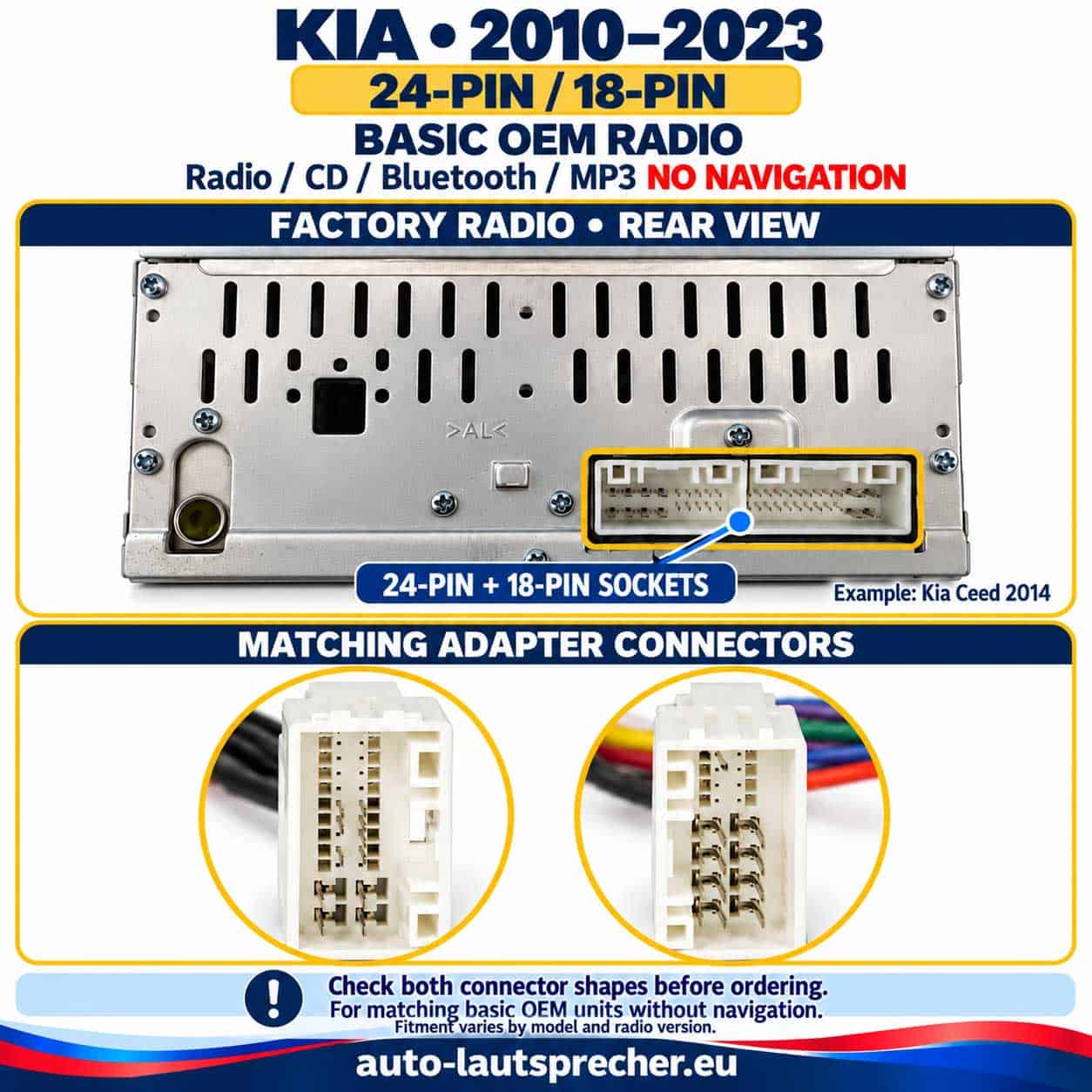
Suitable for vehicles with Basic OEM radio with radio/CD/Bluetooth/MP3, Without factory navigation and without an OEM sound system with a separate amplifier.
Which Kia models does the adapter fit?
| Vehicle | Series | Construction period |
|---|---|---|
| Kia Optima | TF | June 2012–September 2015 |
| Kia Picanto | TA | September 2011–March 2017 |
The prerequisite is the appropriate ones 24-/18-pin connectors with corresponding plug-in wiring. Please compare the connections with the infographic in our gallery before ordering.
Which connections are provided?
- ISO connections for power supply and speaker signals
- Duration plus mass
- Ignition boost, if present on the vehicle side in an analogous manner
- Antenna remote line
- Lighting/dimmer cable, depending on the vehicle configuration
- Original USB socket → USB-A
- Original AUX socket → Cinch red/white
The USB-A connector is connected to a suitable USB port on the new radio. The two cinch connectors are connected to that port. AUX input left/right connected.
Ignition boost for vehicles with a CAN bus
In versions with CAN bus radio control, an analog ignition signal may be missing on the vehicle connector. This cable adapter does not itself generate an ignition signal from the CAN bus signal.
If the switch signal is missing, you will need a separate, shielded wire from a suitable 12-volt power source to the ignition plus/ACC input of the new radio. Accessories for this additional connection are not included in the delivery.
Continue using USB and AUX
The functionality of the original USB and AUX connectors depends on the vehicle configuration and the supported inputs of the new radio. Due to different configurations, the function cannot be guaranteed for every vehicle.
Which USB sticks and file systems are supported is determined by the new radio. Please observe its specifications, for example regarding formatting with FAT16 or FAT32.
To connect AUX, connect an external player via a suitable 3.5mm audio cable to the vehicle's audio jack and select the AUX input on the new radio. The audio jack must be intact and the two cinch connectors must be connected correctly.
Contents of delivery
1 × vehicle-specific radio adapter cable 24/18 Pin to ISO, including USB-A connector and AUX cinch plugs, red/white
Brand
JL-Audio
Be the first to review “Kia Optima TF Picanto TA ISO Radioadapter USB AUX 24/18 Pin”
Related products
Adapter and cable
Adapter and cable
Adapter and cable
Adapter and cable
Adapter and cable

Adapter and cable
Adapter and cable
Chevrolet Corvette C6 Active System Adapter for Hummer H2 H3
Adapter and cable
 German
 English
Reviews
There are no reviews yet.